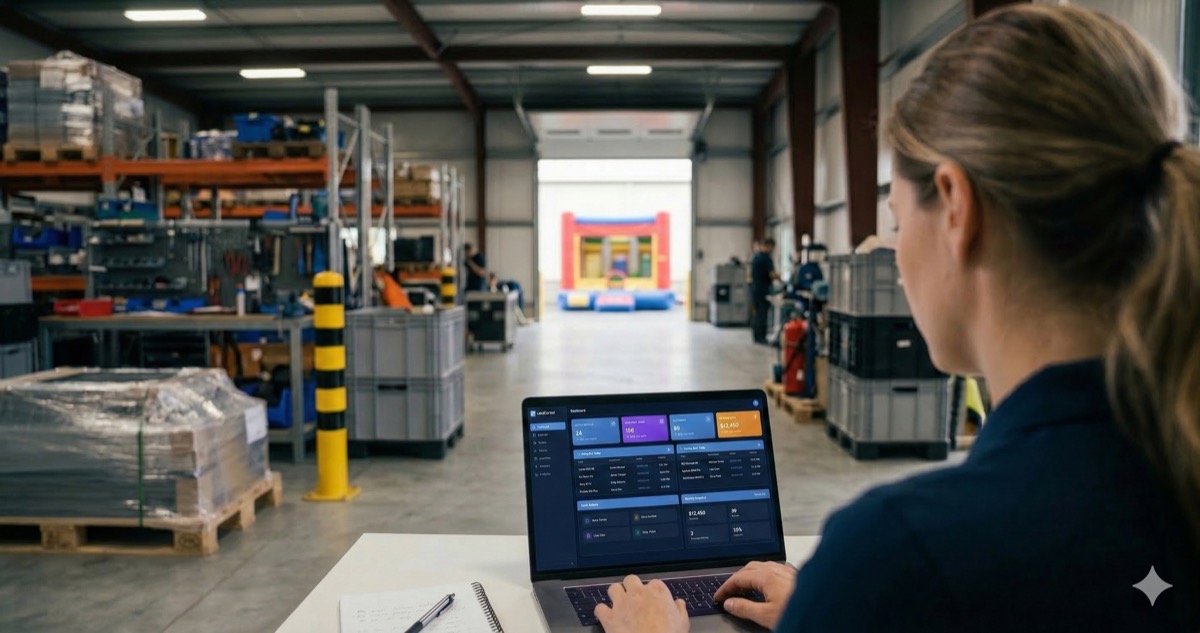

One double booking costs you a refund, a one-star review, and ten future referrals. Bad bounce house inventory management is the fastest way to kill a rental business — and spreadsheets stop working the moment you hit three units.
Double bookings are the most expensive mistake in the bounce house rental business. They happen more often than anyone admits. The fix isn’t working harder — it’s building real bounce house inventory management.
This guide covers:
- Tracking methods that prevent double bookings
- Fleet maintenance and organization
- Seasonal planning to maximize utilization
- Tools that actually work

What double bookings actually cost your business
A bounce house double booking isn’t just an inconvenience. It’s a chain reaction.
The immediate cost is obvious — you lose a rental. If you’re charging $200–$350 for a combo unit, that’s real money gone. But the downstream damage is worse:
- The family that doesn’t get their bounce house tells everyone
- They leave a one-star review and warn their neighborhood Facebook group
- One Saturday mistake can cost you ten future bookings
Then there’s the scramble. You either refund the customer and eat the loss, or you try to find a replacement unit last-minute — which means calling around, overpaying, or pulling from another booking and starting the problem all over again.
For operators with 3-5 units who book manually, double bookings tend to cluster on peak weekends — the exact days where every unit should be generating revenue. The busier you are, the more likely you are to make a scheduling mistake. That’s the paradox of growing a bounce house rental business without a real inventory system.
Why spreadsheets and whiteboards stop working
Most operators start with what’s free — a Google Sheet, a wall calendar, a whiteboard in the garage. And for your first few months with one or two units, it works fine.
The problems start when any of these things happen:
- You add a third or fourth unit. Now you’re cross-referencing multiple rows and columns every time someone calls to book.
- You take bookings from multiple channels. Phone calls, texts, Facebook messages, website inquiries — each one needs to be manually entered into the same sheet. Miss one, and you’ve got a conflict.
- Someone else helps with bookings. Your spouse takes a call and writes it on the whiteboard. You confirm a booking over text and add it to the spreadsheet. Neither of you checks the other’s entry.
- A customer reschedules. You update the date in one place but forget to free up the original date. Now that slot looks booked when it’s actually open — and you miss out on revenue.
Spreadsheets don’t sync in real time. They don’t block off inventory when a booking is confirmed. They don’t warn you when two customers want the same unit on the same day. Every update depends on a human remembering to make it — and during a busy weekend, that’s where things break.
The operators who say “I’ve never had a double booking” usually have fewer than three units and handle every booking personally. The moment you grow past that, manual tracking becomes a liability.

Build a bounce house inventory management system that prevents conflicts
Whether you use software or a more structured manual process, your inventory system needs to do three things: show what’s available, block what’s booked, and update the moment something changes.
Give every unit a unique identity
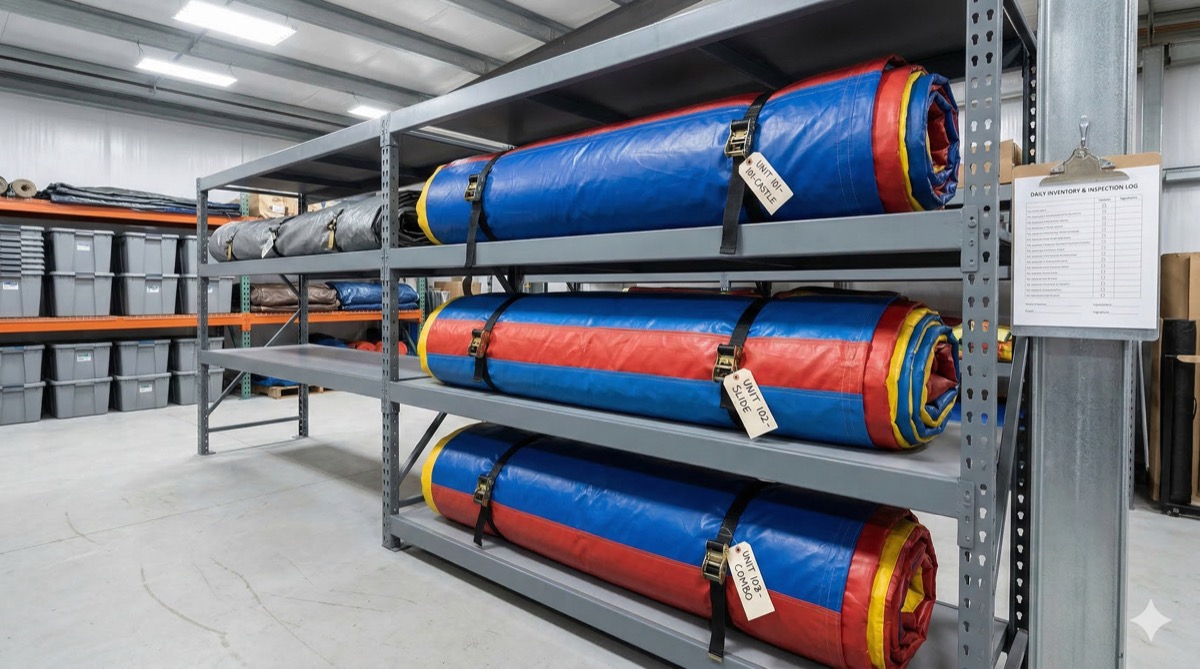
Label each inflatable with a clear internal name or code. “13×13 Castle #1,” “Combo Slide Blue,” “Water Slide Tropical.” When a customer books, you’re assigning a specific unit — not just “a bounce house.” This matters when you have multiples of the same type.
Use a single source of truth
Pick one place where all bookings live. Not a spreadsheet and a whiteboard and your text messages. One system. Everyone on your team checks it, updates it, and trusts it. If a booking isn’t in the system, it doesn’t exist.
Block inventory at the moment of confirmation
The second you confirm a booking, that unit should be unavailable for that date. Not “I’ll update it later.” Not “I’ll remember.” Right now. This is the single rule that prevents double bookings — and it’s the one that manual systems fail at most often.
Account for buffer time
A bounce house rented for a Saturday afternoon party isn’t available for a Saturday morning event — not if you need time to deliver, set up, and later break down. Build setup and teardown windows into your availability. If a rental runs 10am to 4pm, block 8am to 6pm for that unit to include delivery and pickup time.
Ready to stop double-booking your bounce houses?
Try LendControl free for 14 days
No credit card required.
Track more than availability — manage your whole fleet
Bounce house inventory management isn’t just about knowing what’s booked. It’s about knowing the condition, location, and readiness of every unit you own.
Cleaning and sanitization logs
Every inflatable should be cleaned after every rental. Track when each unit was last cleaned and by whom. This isn’t just good hygiene — parents ask. Schools and churches require it. Having a log you can reference builds trust and protects you if anyone raises a concern.
A basic cleaning checklist per unit:
- Wipe down interior and exterior with commercial disinfectant
- Check for debris
- Dry completely before rolling and storing
- Budget $150–$300/month for cleaning supplies across a fleet of 4-6 units
Repair and condition tracking
Vinyl tears, seam separations, worn anchor points — these happen with regular use. Track every repair for each unit. Note when damage was found, what was fixed, and whether the unit is cleared for rental or needs to stay off the schedule.
A bounce house that goes out with a known issue is a lawsuit waiting to happen. Keep damaged units off your available inventory until they’re fixed and inspected.
Usage rotation
If you have two standard 13×13 bounce houses, rotate them. Don’t send the same one out every weekend while the other sits in storage. Even rotation extends the life of your fleet and spreads wear across units. Track rental counts per unit so you know which ones are due for deeper inspection.
Plan your inventory around peak season
The bounce house rental business runs on a predictable cycle. May through September is peak season. Weekends in June, July, and August — especially around holidays like Memorial Day, Fourth of July, and Labor Day — book up fast. If you’re not planning ahead, you’ll either turn away customers or scramble to meet demand.
Know your capacity before the rush
Before peak season hits, run a simple capacity audit:
- How many units do you own? Count only the ones in rentable condition.
- How many rentals can you physically deliver in a day? Factor in drive time, setup, and teardown. Many solo operators find they max out at 3-4 deliveries per day.
- What’s your most-requested unit type? If every customer wants a combo unit and you only have one, that’s your bottleneck.
Decide whether to expand or say no
Adding a unit during peak season means buying in advance — lead times on commercial inflatables can run 2-4 weeks. If you’re turning away bookings every weekend, a $3,000 bounce house that rents for $200 four times a month pays for itself by August.
But don’t overbuy. If demand drops in October, that extra unit sits in storage costing you $50-$75/month until spring. Buy based on actual booking data, not gut feeling.
Use waitlists for sold-out dates
When a date is fully booked, don’t just say no. Take the customer’s name and number. If a cancellation opens up a slot, you’ve got a ready customer. This recovers revenue you’d otherwise lose — and the customer remembers that you followed up.
Pick bounce house rental software that fits your operation
At some point, the manual approach hits a wall. When that happens, bounce house rental software takes over the parts that humans get wrong — real-time availability, automatic conflict detection, and instant booking confirmation.
What to look for
Not every rental platform is built for the inflatable business. Whether you’re searching for bounce house rental software or inflatable rental software, generic tools miss the nuances. Here’s what matters for bounce house inventory management:
- Real-time availability tracking — when someone books your combo unit for Saturday, it’s immediately blocked. No manual update required.
- Per-unit tracking — assign specific inflatables to specific bookings, not just “1 bounce house.” Track individual unit history, condition, and usage.
- Online booking — let customers check availability and reserve without calling or texting you. This alone eliminates the most common source of double bookings: multiple channels with no sync.
- Delivery scheduling — manage drop-off and pickup times across multiple events on the same day without overlap.
- Customer communication — send booking confirmations, reminders, and waivers automatically.
How LendControl handles it
LendControl is built for small rental businesses like yours. You manage your entire bounce house fleet from one dashboard — availability, bookings, payments, and customer details.
Your customers can even ask availability questions through WhatsApp. They send a message like “Do you have a bounce house available June 14th?” and get an instant answer pulled from your live inventory. No phone tag. No waiting for you to check a spreadsheet and text back.
That WhatsApp availability feature matters most during peak season, when you’re on a delivery and can’t answer every call. Customers get immediate answers, and your inventory stays accurate without you touching anything.
Frequently asked questions
How do I prevent double bookings for my bounce house business?
Use a single booking system where all reservations live in one place. The key is blocking inventory the moment a booking is confirmed — not after you remember to update a spreadsheet. Bounce house rental software with real-time availability tracking is the most reliable way to prevent conflicts, especially once you have three or more units.
Can I manage bounce house inventory with a spreadsheet?
You can, but only up to a point. Spreadsheets work when you have 1-2 units and handle every booking yourself. Once you add more units, take bookings from multiple channels, or have someone else helping, spreadsheets can’t sync in real time or block availability automatically. That’s when double bookings start happening.
How often should I clean and inspect my bounce houses?
Clean every unit after every rental — wipe down with commercial disinfectant, check for debris, and dry completely before storage. Do a full structural inspection monthly: check seams, anchor points, blower connections, and vinyl condition. Pull any unit with damage from your available inventory until it’s repaired.
How many bounce houses can I manage without software?
Most solo operators can handle 2-3 units manually without major issues. Beyond that, the risk of scheduling conflicts, missed bookings, and tracking errors increases significantly — especially during peak season when you might run 3-4 deliveries in a single day.
When should I add more bounce houses to my fleet?
Look at your booking data. If you’re turning away customers on peak weekends because everything is booked, it’s time to add a unit. A $3,000 bounce house that rents for $200 four times a month pays for itself in about four months. Buy before peak season — lead times on commercial inflatables run 2-4 weeks.
Your fleet, your reputation
Good bounce house inventory management comes down to knowing exactly where every unit is, what condition it’s in, and who has it booked — at all times.
- Single source of truth for all bookings
- Track cleaning and repairs for every unit
- Plan your fleet around peak season demand
- Switch to rental software when manual methods stop keeping up
The operators who figure this out early are the ones who grow past five units without the chaos.
Ready to automate your inventory and eliminate double bookings?
No credit card required.