
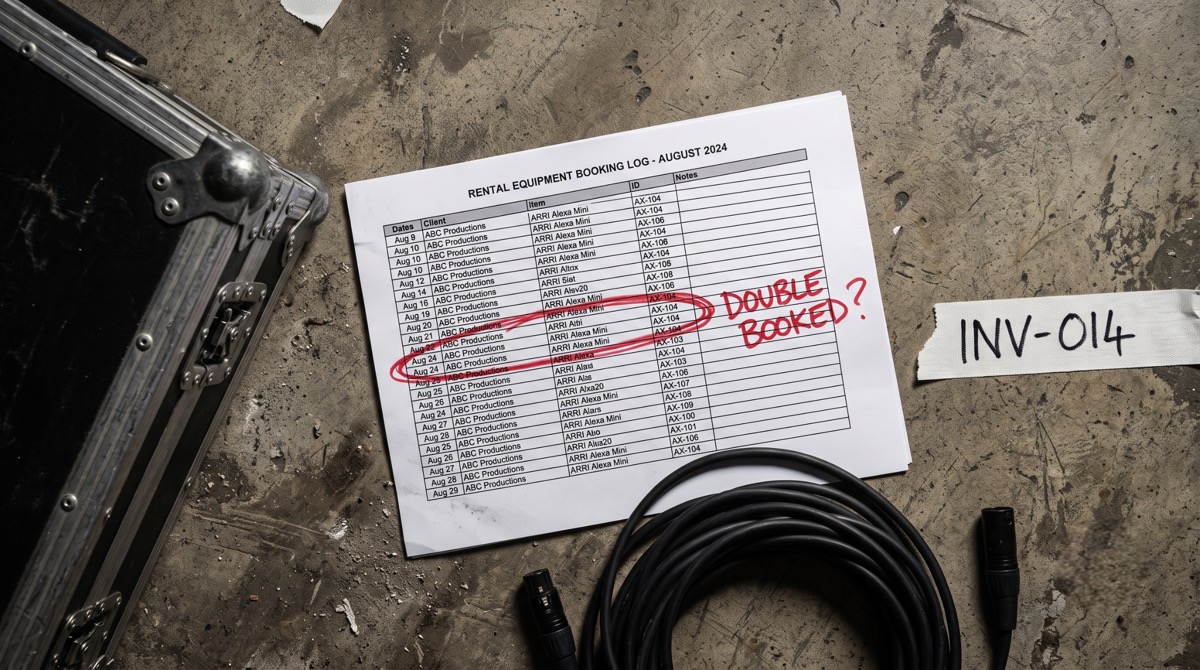
Not every rental operator needs the same fix. Here’s 4 best alternatives for spreadsheet.
You’re not here because spreadsheets are terrible. You’re here because yours stopped working. The spreadsheet didn’t fail because it’s the wrong tool in theory. It failed because every spreadsheet has a ceiling and you’ve hit it. There are two real paths forward. One costs nothing. The other pays for itself fast. Here’s how to figure out which one you need.
1. Airtable
Airtable is a spreadsheet-database hybrid. It looks like a spreadsheet but works more like a database. You can link tables, create multiple views, and build forms for data entry that feed into a shared base.
What it handles well:
- Linked records between your inventory table and a bookings table
- Gallery views with item photos
- Form-based check-in and check-out that multiple people can submit without overwriting each other
- Basic calendar views of booking dates
- Real-time editing without version conflicts
Where it hits the ceiling:
- No built-in conflict detection. Can’t flag overlapping bookings, so double bookings happen silently
- Quantity tracking breaks down fast. 20 units of the same item means hundreds of conditional fields
- Free plan caps at 1,000 records per base and 5 editors
Best for: Operators with under 100 items, one or two people managing bookings, no high-frequency concurrent rentals.
2. Notion
Notion is primarily a workspace tool, built for notes, wikis, and project management. Its database function can be adapted for equipment tracking in simple setups.
What it handles well:
- Item database with status fields and filters
- Basic booking log with linked records
- Team visibility into what’s currently out
Where it hits the ceiling:
- Database performance degrades above 1,000 items. Linked views lag badly
- Mobile data entry is painful enough that team members stop doing it consistently
- Lacks relational depth. Availability checks require manual workarounds that break easily
Best for: Solo operators who want a simple dashboard and aren’t running concurrent bookings. Not a reliable team tool for active rental operations.
3. Advanced Google Sheets
If you’re already on Google Sheets, you may not need to switch tools. You may just need to properly build the system you should have had from the start.
A structured four-tab Google Sheets setup with conditional formatting for date conflicts, a shared link for real-time access, and a strict return logging workflow handles more than most people expect. The 4-tab system covered here is the fastest path forward if your current sheet is just a disorganised list.
Where it hits the ceiling:
- Multi-user editing gets unreliable at volume. Overwrites and version drift
- Mobile data entry is error-prone. One mistyped date creates phantom conflicts
- No automated conflict detection. You’re relying on manual checks every time
Best for: Operations already using Google Sheets that haven’t hit the multi-user wall or had a confirmed conflict reach a customer.
Already know spreadsheets aren’t working? Try LendControl free. Availability tracking, return logs, and conflict prevention built for rental operators. No credit card required.
4. Rental Management Software
Rental management software is built around a different assumption than spreadsheets or free tools. It assumes equipment leaves your warehouse on specific dates, goes to a customer, and needs to come back in a documented condition. Everything is designed around that workflow.
Availability is enforced, not checked. When a booking is created, those items are locked for those dates. A conflict is blocked before it’s confirmed, not discovered the morning of the job.
Return audits are part of the system. When gear comes back, condition gets logged against the booking line by line. The record exists whether you act on it immediately or not.
Multiple users work without version conflicts. Changes are real-time. There’s no “which file is current” problem because there’s one system and everyone’s in it.
Utilization is visible without building formulas. You can see which items earn and which sit idle, and make purchasing decisions based on actual data rather than gut feel.
LendControl does all of this, with an AI layer that identifies patterns over time. Items that consistently come back damaged, bookings that regularly run overdue, jobs where profitability drops. It catches them before those patterns become recurring costs.
For a full comparison of rental management software options, see Best AV Rental Software Compared.
When free tools stop being enough
Free tools close real gaps. But they share a ceiling. They’re all built for something else and adapted for equipment tracking. These are the signals that you’ve hit it:
A customer received a confirmed booking for gear that was already committed. One conflict that reaches a customer means the free tool isn’t protecting your business anymore.
Two or more people are entering data and it keeps drifting. Free tools don’t enforce a process. They give you a place to put information and hope everyone does it the same way.
You can’t check availability from a job site. If confirming a booking requires getting back to your desk, you’re losing jobs to operators who can answer in real time.
A return audit takes more than 15 minutes. If logging what came back is painful, it’s not happening consistently, which means damage and missing items are slipping through.
You’re running more than 3 concurrent jobs regularly. At that point, manual conflict checking becomes a full-time job on top of your actual work.
Any one of these is a signal. More than two means the workaround has a cost that’s already exceeding what you’re saving by not paying for software.
How to pick based on your situation
If one person handles every booking and no customer has ever called about a double-booked item, free tools are fine. Rebuild your Google Sheets properly or try Airtable. No reason to pay for something you don’t need yet.
But if two customers got promised the same excavator for the same weekend. If someone confirmed a booking from their phone while someone else did the same thing from the office. If your Sunday-evening return check keeps getting longer and you’re not totally sure everything came back. That’s when the spreadsheet has already stopped protecting the business.
Most people who reach out to us are somewhere in the middle of those two situations. The honest answer: if you have to think about it, you’re probably close.
Read more about how rental operators manage inventory across concurrent jobs.
How to migrate from your spreadsheet
Switching is easier than most operators expect. The work is in the data preparation, not the migration itself.
1. Export and clean your inventory list.
Download your master inventory as a CSV. Standardise item names. One name per item type, no variations. Add a unique ID to every row if you don’t have one already.
2. Import master inventory first.
Get your items into the new system before touching bookings or history. Confirm everything is in correctly before moving on.
3. Enter only active bookings manually.
Don’t try to import historical booking data. It’s rarely clean enough to import reliably. Manually enter what’s currently out and what’s confirmed for the next 30 days only.
4. Run both systems for one week.
Keep the spreadsheet live alongside the new tool for 7 days. Log every action in both. This catches anything missed in setup without risking a live booking.
5. Cut the spreadsheet off completely.
The biggest mistake is keeping it “just in case.” The moment two systems run independently, your data splits and you’re back to the original problem. Pick a date and shut it down.
Most operators complete the full switch in under a week. The migration takes a few hours. The parallel week is just insurance.
If a few hours of setup and one parallel week is all it takes, there’s not much reason to keep patching a spreadsheet that already broke once.
Try LendControl free →Not sure your spreadsheet will import cleanly? Email admin@lendcontrol.com and we’ll look at it.
No credit card required. Your data stays yours if you cancel.