
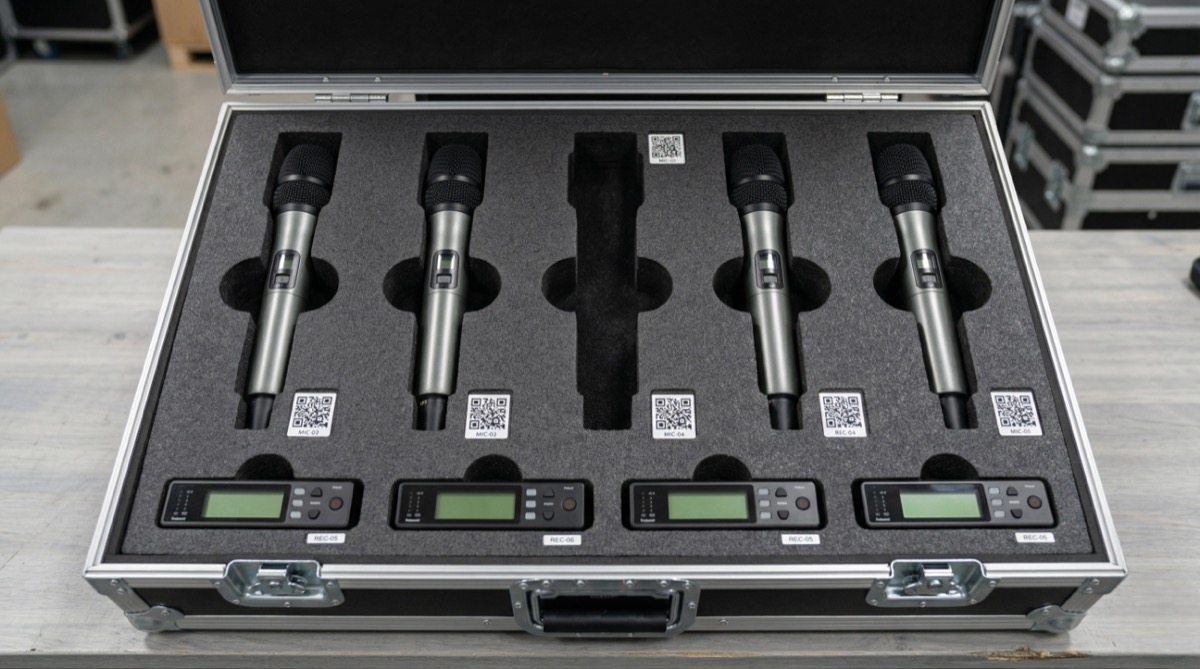
It is 6 a.m. on the day of a corporate conference. Your crew is loading the van. Someone opens the road case for the wireless mic kit and finds four receivers — but only three transmitter packs. The fourth is sitting in a different case from last weekend’s wedding. You are now making emergency calls to find a replacement before doors open at 8.
This is not a freak accident. It is Tuesday in the AV rental business.
- AV gear is small, modular, and constantly moving — between events, venues, and vehicles.
- A single PA system rental might involve 40+ individual components — speakers, amps, cables, stands, DI boxes, adapters — and losing even one $12 XLR cable can delay a load-in.
- AV rental inventory management — is the difference between a business that scales smoothly and one that bleeds money through missing accessories and scheduling conflicts.
Here is how to build a system that actually works.
Why AV rental businesses lose more gear than any other rental category
AV equipment has a unique problem: the ratio of small, easy-to-lose components to high-value main units is enormous. A single projector rental might ship with an HDMI cable, a VGA adapter, a power cable, a remote, and a carrying case. Lose the remote and the next client gets a degraded experience. Lose the adapter and you are buying a replacement overnight.
Industry estimates suggest AV rental companies lose 5-15% of accessory inventory annually through venue left-behinds and cross-case migration — with cables, adapters, and small accessories accounting for the majority of losses. That adds up fast when your accessory inventory alone is worth $10,000-$30,000.
Where the gear actually disappears
- Cables and adapters get left at venues. Crew members strike gear quickly after events. Small items on the floor, taped to tables, or tucked behind equipment racks get missed.
- Components migrate between cases. A tech borrows an XLR cable from one kit to fix a shortage in another. It never goes back.
- No one tracks accessories individually. Most AV rental businesses track main units (speakers, mixers, projectors) but treat cables and adapters as consumables. They are not consumables — they are inventory.
- Multi-day events blur the return timeline. Gear goes out for a three-day festival, partial returns come back on different days, and reconciliation gets skipped when the next event is already loading.
Track every item — especially the small stuff
The biggest AV equipment management mistake is only tracking high-value items. Yes, losing a $2,000 wireless microphone system is painful. But losing $15 worth of adapters and cables on every event costs you more over a year.
Here is the minimum tracking standard for an AV rental operation:
- Individual tracking for every item over $50 — speakers, mixers, amplifiers, wireless systems, projectors, screens, lighting fixtures. Each gets a unique asset ID.
- Batch tracking for consumable-adjacent items under $50 — XLR cables, power cables, gaffer tape rolls, adapter dongles. Track quantities by type and bin location. Count them on every return.
- Accessory manifests for every outgoing order. Before gear leaves the warehouse, someone checks the manifest against what is physically in the case. On return, someone checks it again.
This takes discipline. But the alternative is discovering you are short six XLR cables on a Friday afternoon with no time to reorder.
Build kits so gear goes out and comes back together
Kit management is the single most effective tactic for reducing AV inventory loss. Instead of pulling individual items from shelves for every order, you pre-build standardized kits that go out and come back as a unit.
What a kit looks like in practice
A “Conference Audio Kit — Small” might include:
- 1x 12-channel mixer
- 2x powered speakers (with cables)
- 4x wireless handheld microphones
- 4x mic stands
- 8x XLR cables (various lengths)
- 2x DI boxes
- 1x power distribution strip
- 1x case of adapters (1/4″ to XLR, RCA to XLR, 3.5mm to 1/4″)
Every item in the kit has a checklist. The kit ships in the same road case(s) every time. When it comes back, someone runs the checklist before the case goes back on the shelf.
Why kits reduce loss
- Accountability is clear. If the kit left complete and came back missing a DI box, you know which event and which crew to trace it to.
- Packing is faster. No scrambling to pull 40 items from different shelves. The kit is ready to go.
- Clients get consistent setups. Every “Small Conference Audio” rental includes the same gear, which simplifies your quoting and reduces setup errors.
Build kits for your top 3-5 most common rental configurations. Track each kit as a parent item with child components in your AV rental software.
Use barcode or QR tracking for every component
Manual check-in and check-out works when you have 50 items. Once you hit 200+, it breaks down. People skip steps. Items get returned to the wrong shelf. Counts drift.
Barcode or QR-based audio visual inventory tracking eliminates guesswork.
Label everything
Print durable QR code labels (waterproof, adhesive-backed) for every trackable item. Attach them to:
- Road cases (exterior)
- Individual high-value items (speakers, mixers, wireless packs)
- Cable bundles (use cable tags or heat-shrink labels)
- Kit containers (link the QR to the full kit manifest)
Scan on every movement
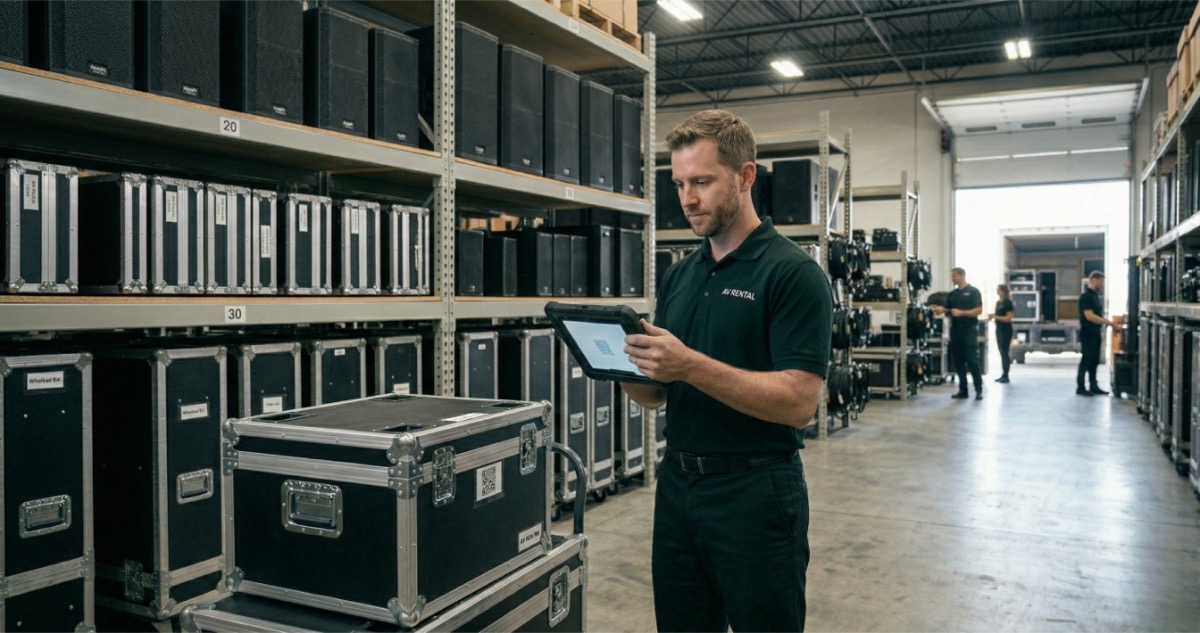
- Check-out scan: Crew scans each item or kit before loading the van. The system records what left, when, and for which event.
- Check-in scan: On return, crew scans everything coming back. The system flags anything missing immediately — not three days later when someone needs it.
- Location scan: If you store gear across multiple rooms, shelves, or vehicles, scan items when they move between locations.
AV rental businesses using barcode or QR scanning consistently report 60-70% fewer inventory discrepancies compared to manual count-based systems. The time investment is roughly 5-10 minutes per load-out — a small price for knowing exactly where every piece of gear is.
Prevent multi-event scheduling conflicts
In an AV rental business, the same gear often serves multiple events in a single weekend. A set of speakers might go to a Friday corporate dinner, come back Saturday morning, and ship out again for a Saturday evening wedding. That turnaround window is tight, and double-booking is a real risk.
Here is what causes scheduling conflicts and how to prevent them:
- Buffer time between bookings. Never schedule gear back-to-back without a buffer for return, inspection, and re-packing. A minimum of 4-6 hours between the return time of one booking and the departure time of the next is a practical baseline.
- Real-time availability tracking. If your booking system does not instantly block gear when it is reserved, you will double-book. Spreadsheets cannot do this reliably once you are running more than a few events per week.
- Partial returns create chaos. When a multi-day event returns only some gear on day two and the rest on day three, your inventory management system needs to handle partial check-ins without marking the full kit as available.
- Backup stock for high-demand items. If you rent out 8-channel wireless mic systems every weekend, own two. The cost of a spare unit is less than the cost of losing a booking because your only system is at another event.
Set up pre-event and post-event testing workflows
AV gear that leaves the warehouse untested is a liability. A mic pack with a dead battery, a speaker with a blown driver, or a projector with a dying lamp creates problems that are expensive to fix on-site and impossible to explain to a client.
Pre-event checklist (before gear leaves)
- Power test every electronic item. Turn it on. Confirm it works. This catches dead batteries, blown fuses, and firmware glitches.
- Cable test. Run signal through every cable. Use a cable tester for XLR and ethernet — they are under $30 and save hours of troubleshooting on-site.
- Check accessories against the manifest. Every adapter, remote, cable, and mount listed on the kit sheet should be physically in the case.
- Inspect for physical damage. Dents, loose connectors, frayed cables. Flag anything that might fail under load.
Post-event checklist (when gear returns)
- Scan everything in. Use your QR/barcode system to confirm all items are back.
- Clean and coil cables properly. Over-under technique for audio cables. No knotting, no cinch-tying. Cable damage from poor coiling is one of the top maintenance costs in AV rental.
- Test any item the crew flagged during the event. If a tech reported a crackling mic or a flickering projector, test it before it ships again.
- Re-pack kits to standard. Every case should be shelf-ready when it goes back — not half-unpacked with loose items on top.
This workflow adds 20-30 minutes per event to your load-in and load-out process. That time pays for itself the first time you catch a bad cable before it kills a keynote speaker’s presentation.
Pick AV rental software that fits how you actually work
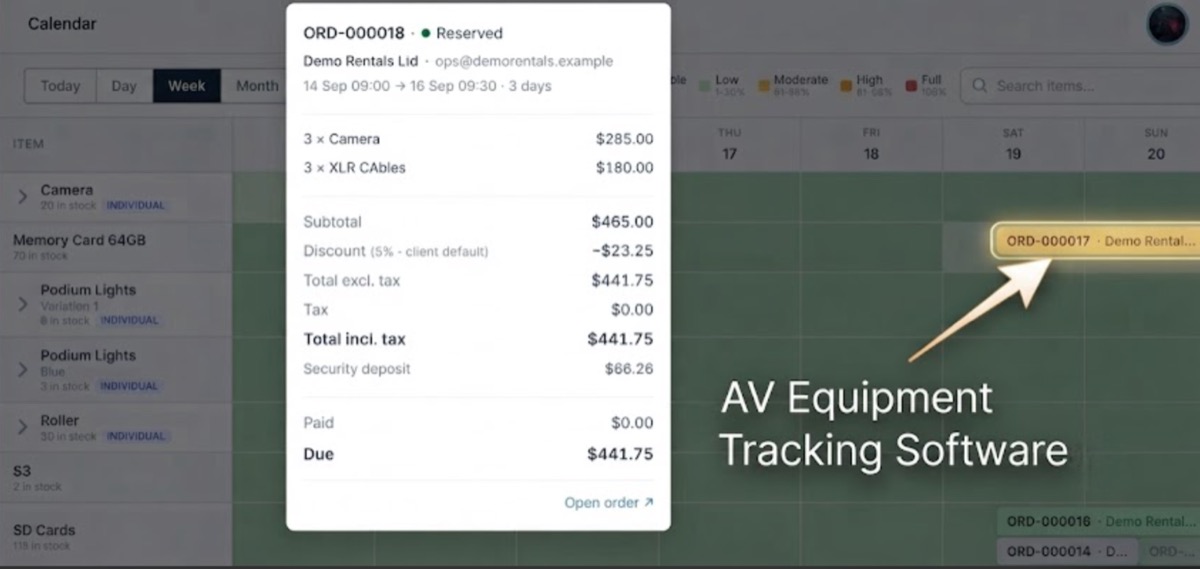
Spreadsheets and whiteboards get AV rental businesses through the first year. They do not get you through year three. Once you are managing 200+ items across 5-10 events per week, you need AV rental software that handles scheduling, tracking, and kit management in one place.
What to look for
- Kit/package management — group items into packages, track parent and child items, check out an entire kit with one action.
- QR/barcode scanning — check items in and out at the warehouse and at the venue.
- Real-time availability — see what is available for a specific date range, including items currently out and items reserved for upcoming events.
- Conflict alerts — get warned before you double-book a piece of gear, not after.
- Maintenance tracking — flag items that need testing, repair, or replacement. Pull them from availability until they are cleared.
LendControl is built for small to mid-sized rental operations that need this without the complexity of enterprise systems. One feature that AV rental operators specifically benefit from: WhatsApp AI — clients message asking “Do you have a wireless mic system available next Saturday?” and get an instant answer from your live inventory. No back-and-forth, no missed inquiries while you are on-site at another event.

Frequently asked questions
What is the best way to track small AV accessories like cables and adapters?
Use a combination of batch tracking and kit manifests. Assign QR labels to cable bundles and adapter kits. Count quantities on every check-out and check-in. For items under $50, track by type and quantity rather than individual serial numbers — but still count them every time gear moves.
How do I prevent double-booking AV equipment?
Use rental software with real-time availability tracking that blocks gear the moment it is reserved. Build buffer time (4-6 hours minimum) between bookings for the same equipment. For your highest-demand items, invest in backup units so a scheduling overlap does not cost you a client.
How often should AV rental equipment be tested?
Test every piece of electronic equipment before each event — no exceptions. A full power-on test, signal test for cables, and accessory count takes 20-30 minutes per kit. Post-event, test any item that was flagged during the event before returning it to available inventory.
What is kit management in AV rental?
Kit management means grouping related items into standardized packages — for example, a “Small Conference Audio Kit” with a mixer, speakers, mics, cables, and adapters. The kit ships as a unit, has a fixed checklist, and gets tracked as a single parent item with child components. It speeds up packing, simplifies quoting, and dramatically reduces lost accessories.
How much inventory shrinkage is normal for an AV rental business?
AV rental companies typically experience 5-15% annual inventory shrinkage, with cables and small accessories making up the majority. Businesses using barcode/QR scanning and kit-based workflows consistently report shrinkage under 3%. The key is tracking accessories with the same discipline you apply to your main units.
Stop losing gear, start scaling your AV rental business
AV rental inventory management does not need to be complicated, but it does need to be consistent. Track every item — including the $12 cables. Build kits. Scan gear in and out. Test before and after every event. These are the basics, and most AV rental businesses that struggle with shrinkage are skipping at least one of them.
The right software makes consistency automatic instead of heroic. When your system tracks availability in real time, flags conflicts before they happen, and gives your crew a scan-based check-in workflow, the missing-cable-at-6-a.m. scenario stops being a regular occurrence.